
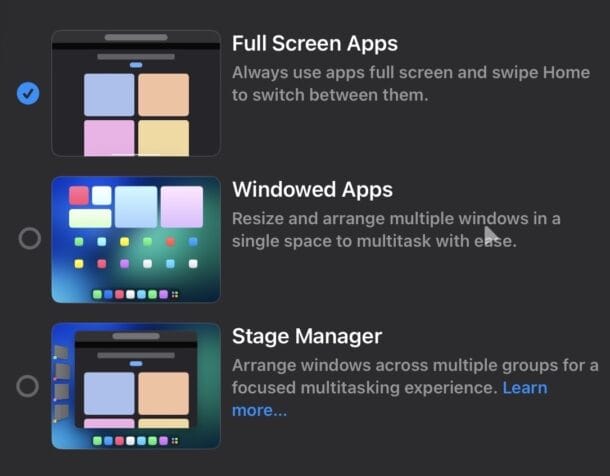
If your iPad is running iPadOS 26, you might have already experimented with Windowed App mode which allows apps to be in self-contained windows, allowing for windowed multitasking more like a desktop operating system interface. That’s obviously quite a different experience than the traditional iPad interface, which was more single task oriented with a focused app view of one single app running in full screen.
If you’d like to switch from Windowed app mode or Stage Manager back to Full Screen app mode, read along and your iPad will be running full screen apps again by default in no time.
How to Change iPad to Full Screen App Mode
- Open the Settings app on iPad
- Now go to “Multitasking
Continue reading at source website